The Events App.
An internal iOS app that helps Apple employees discover and attend company events like WWDC.
From portal to app.
Apple’s events team asked us to rebuild their internal web portal from the ground up as an iOS app.
The goal was to help employees, especially newer ones, learn about and attend internal events like WWDC, keynotes and developer sessions, and get more out of the tools and products those events cover.
Thousands of employees. One place to find what’s on.
From WWDC sessions to team demos, every event lives in one app employees already carry.
Engagement and event attendance had dropped 72% over two years.
Employees were missing out on a key way to learn about new tools and products that could help their productivity and skills.
Who we were designing for.
Using a company database, I contacted five teams for data on how often their members joined events through the existing portal, and who those members were.
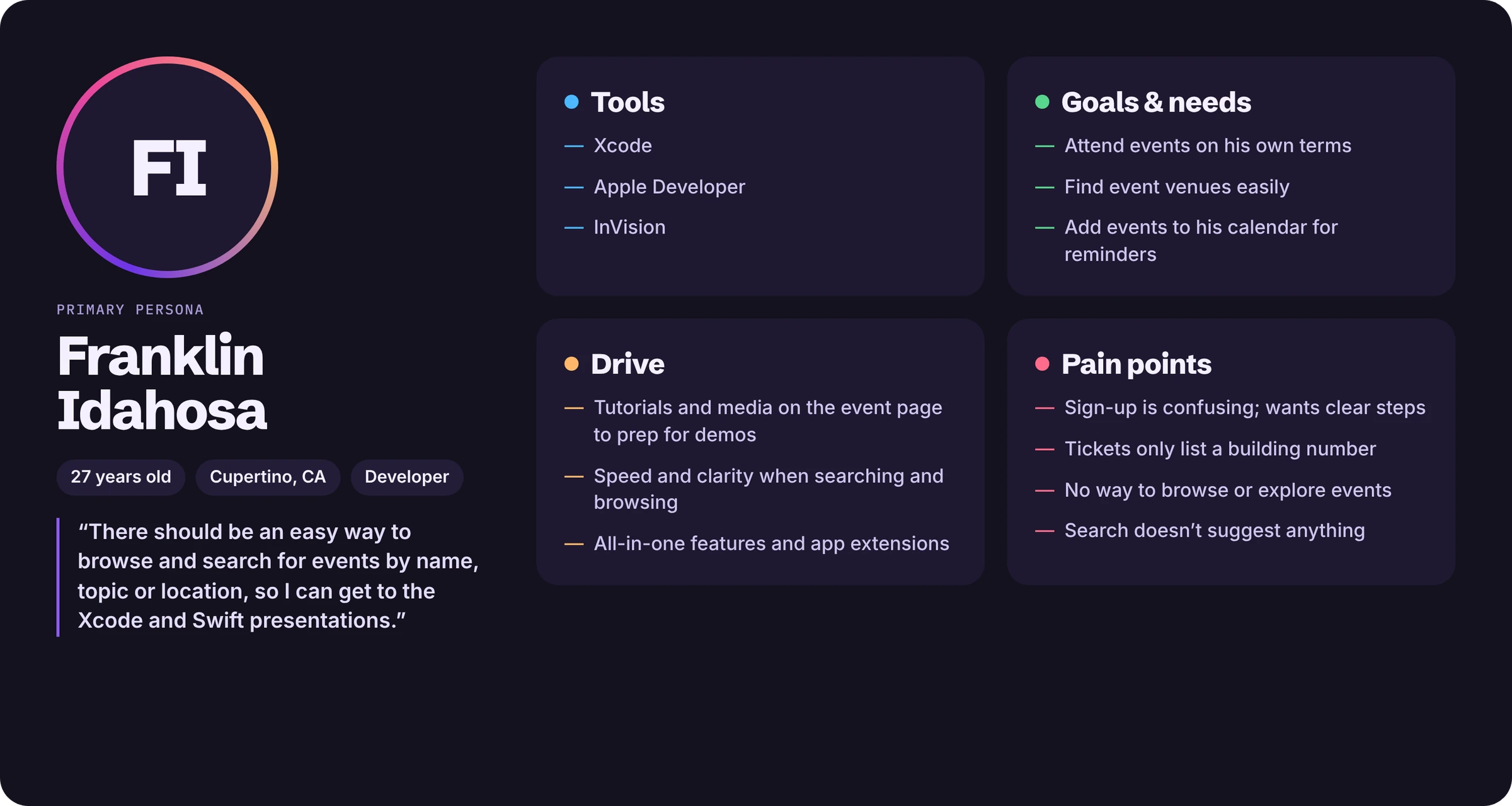
Interviews turned that data into personas. The pain points were consistent:
- Signing up was confusing and spread across several apps
- Tickets showed only a building number, so venues were hard to find
- No way to browse or explore relevant events
- Search didn’t suggest anything
“I’d love an easy way to browse and search for events by name, topic or location.”Front-end developer, interview
A design sprint.
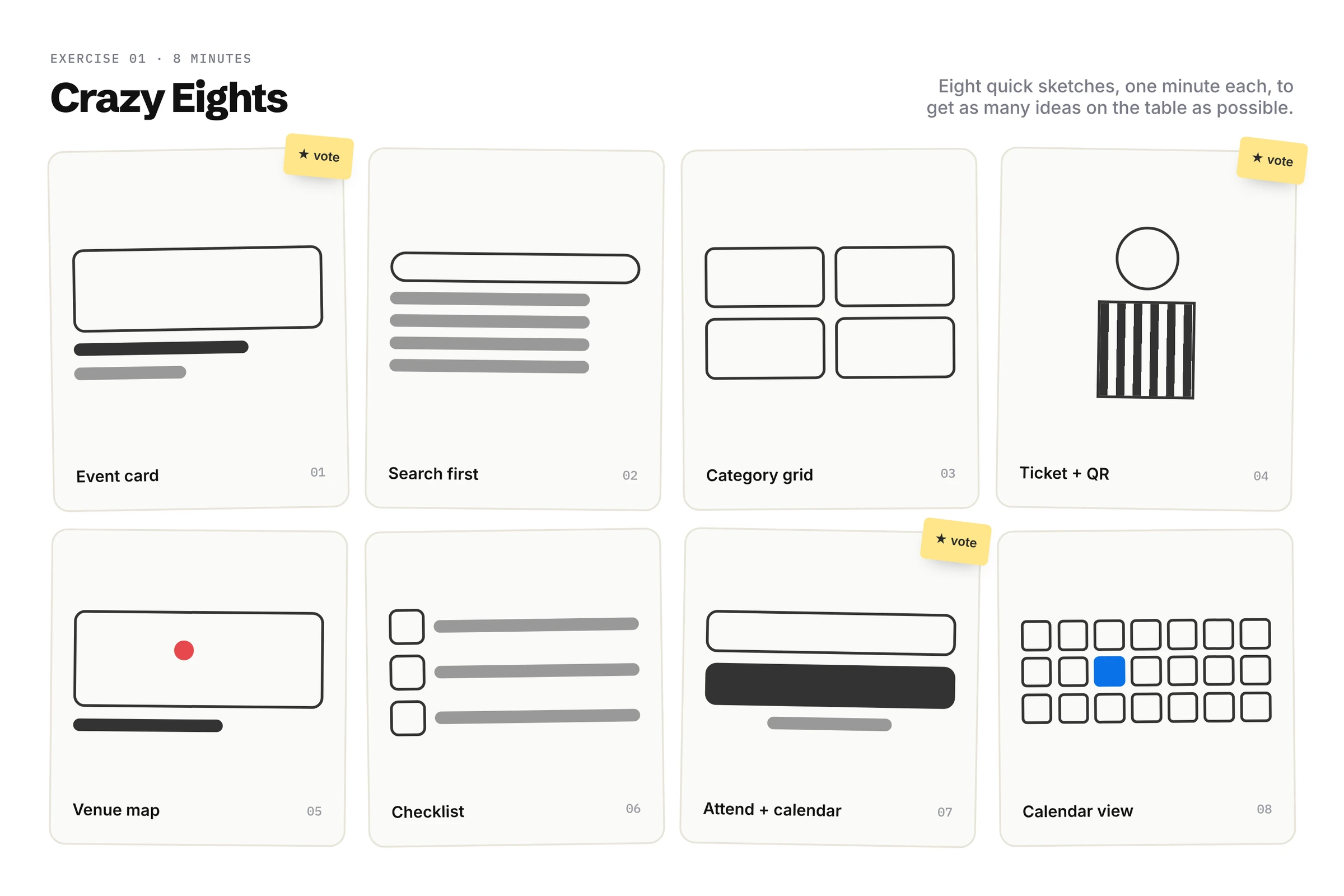
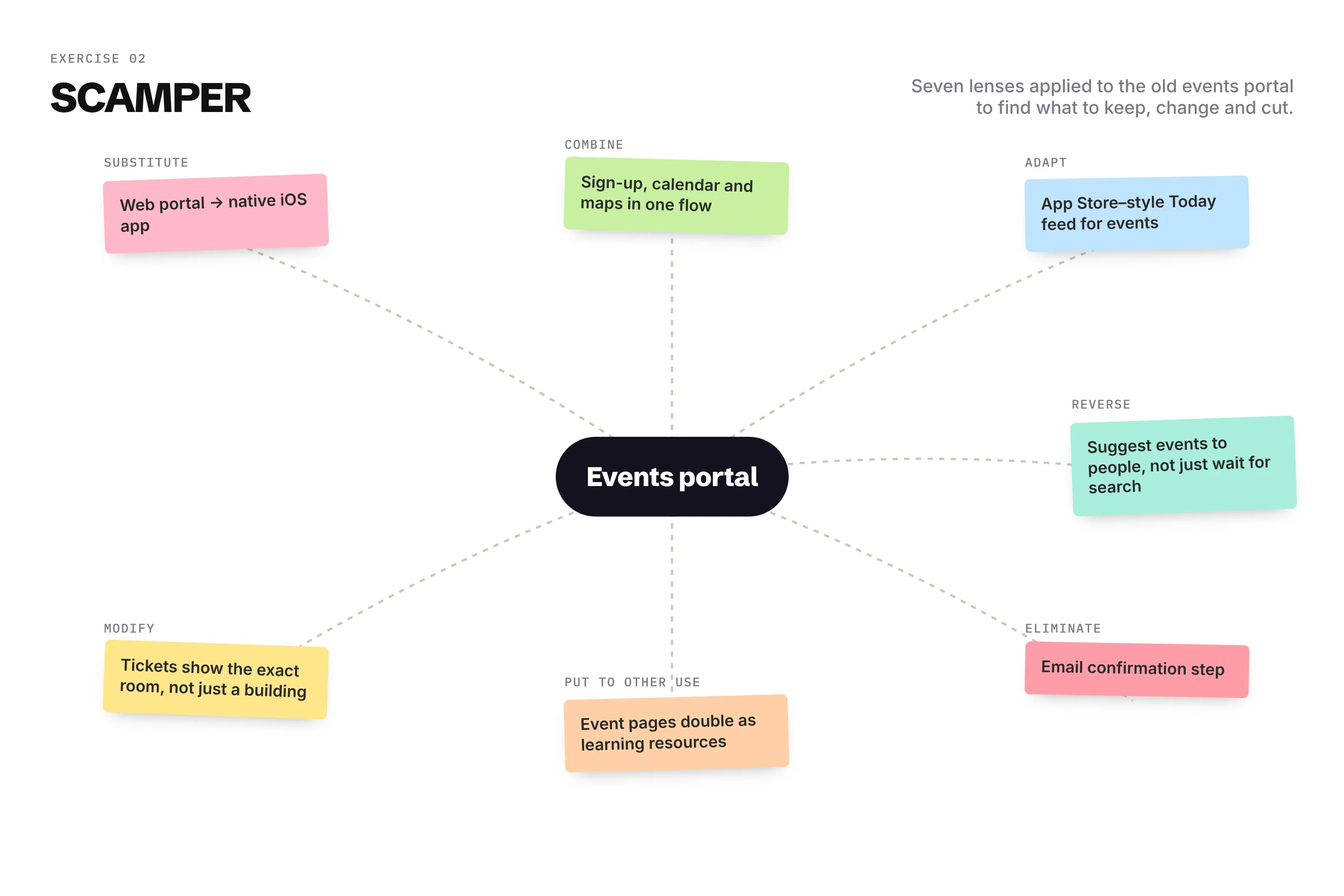
With the lead product manager, we ran a remote sprint in Miro, starting with two exercises.
Drag to compare.
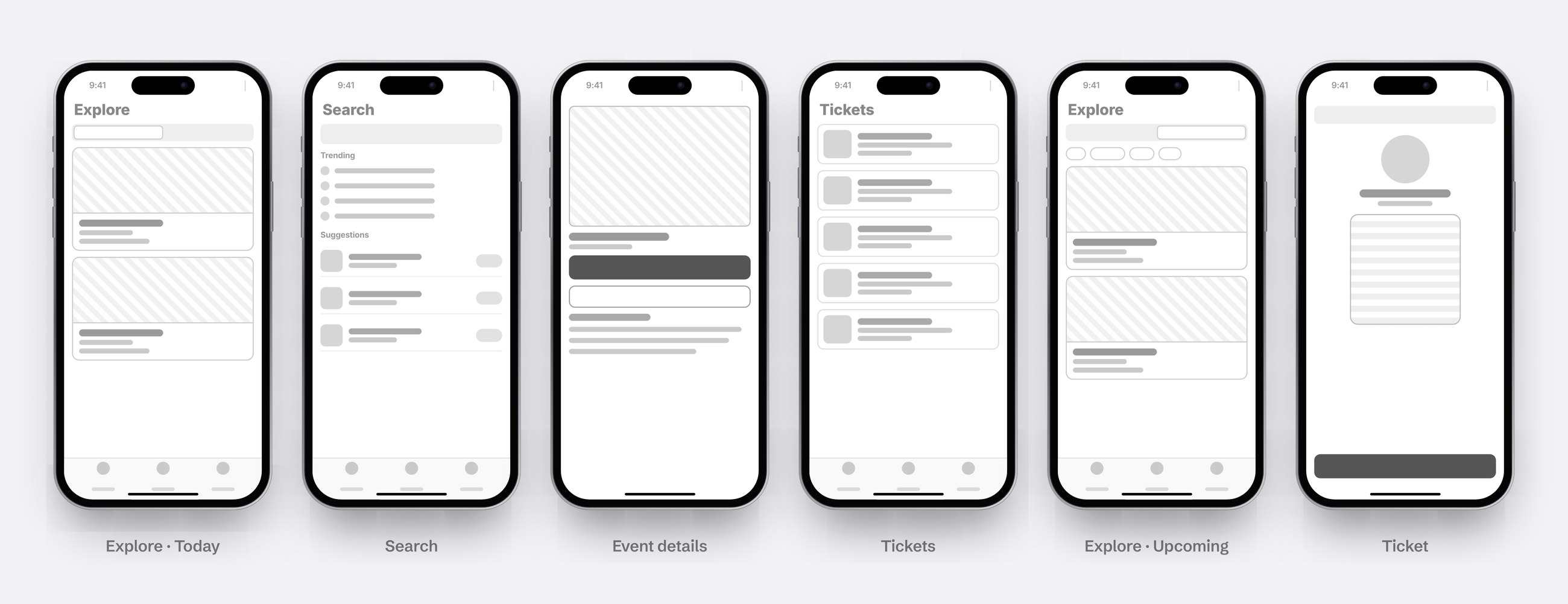
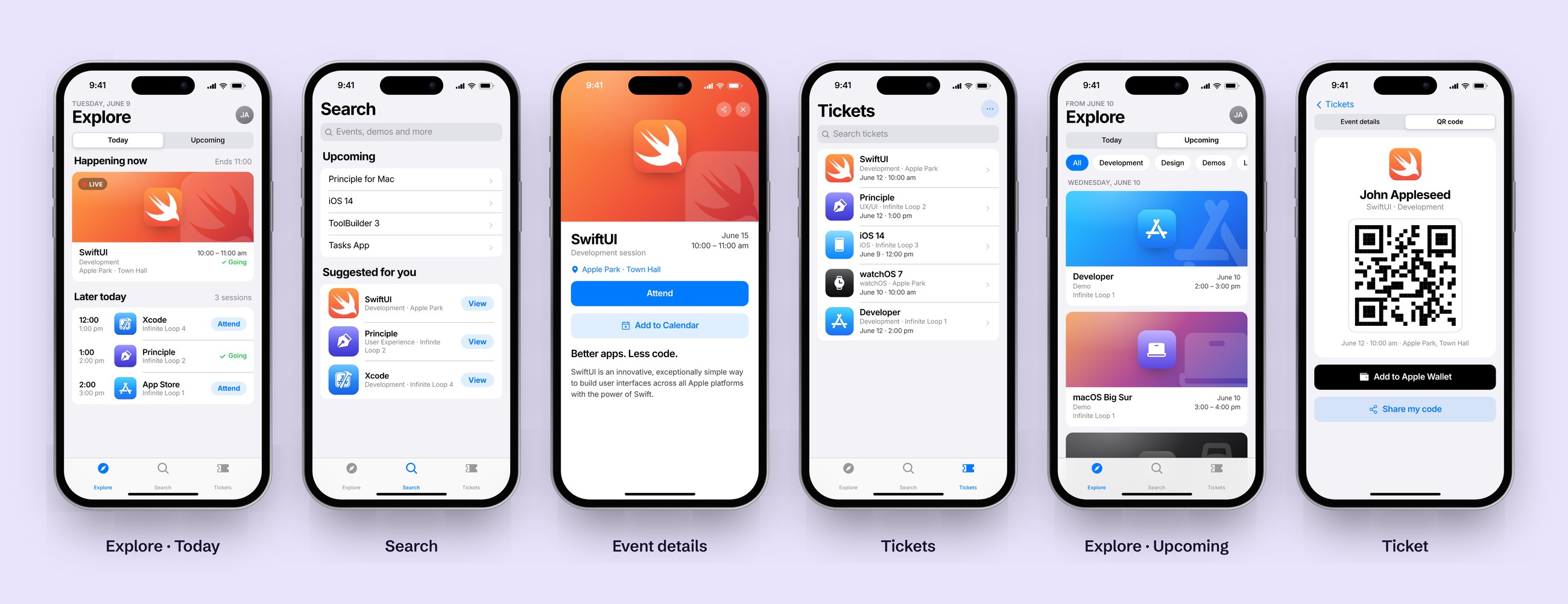
Low-fidelity wireframes for Explore (Today and Upcoming), Search, Event Details and Tickets, next to the final designs.
How it works.
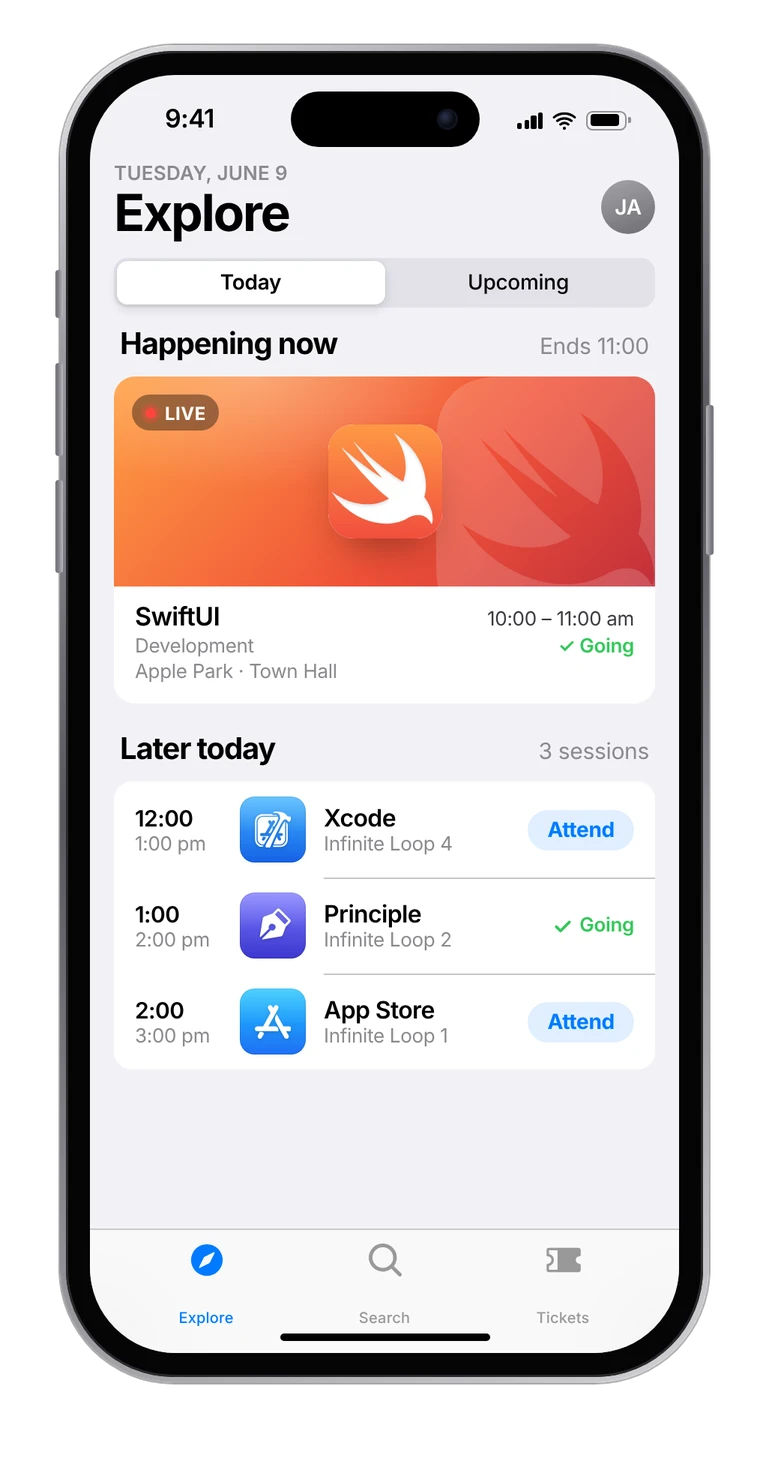
See what’s on today.
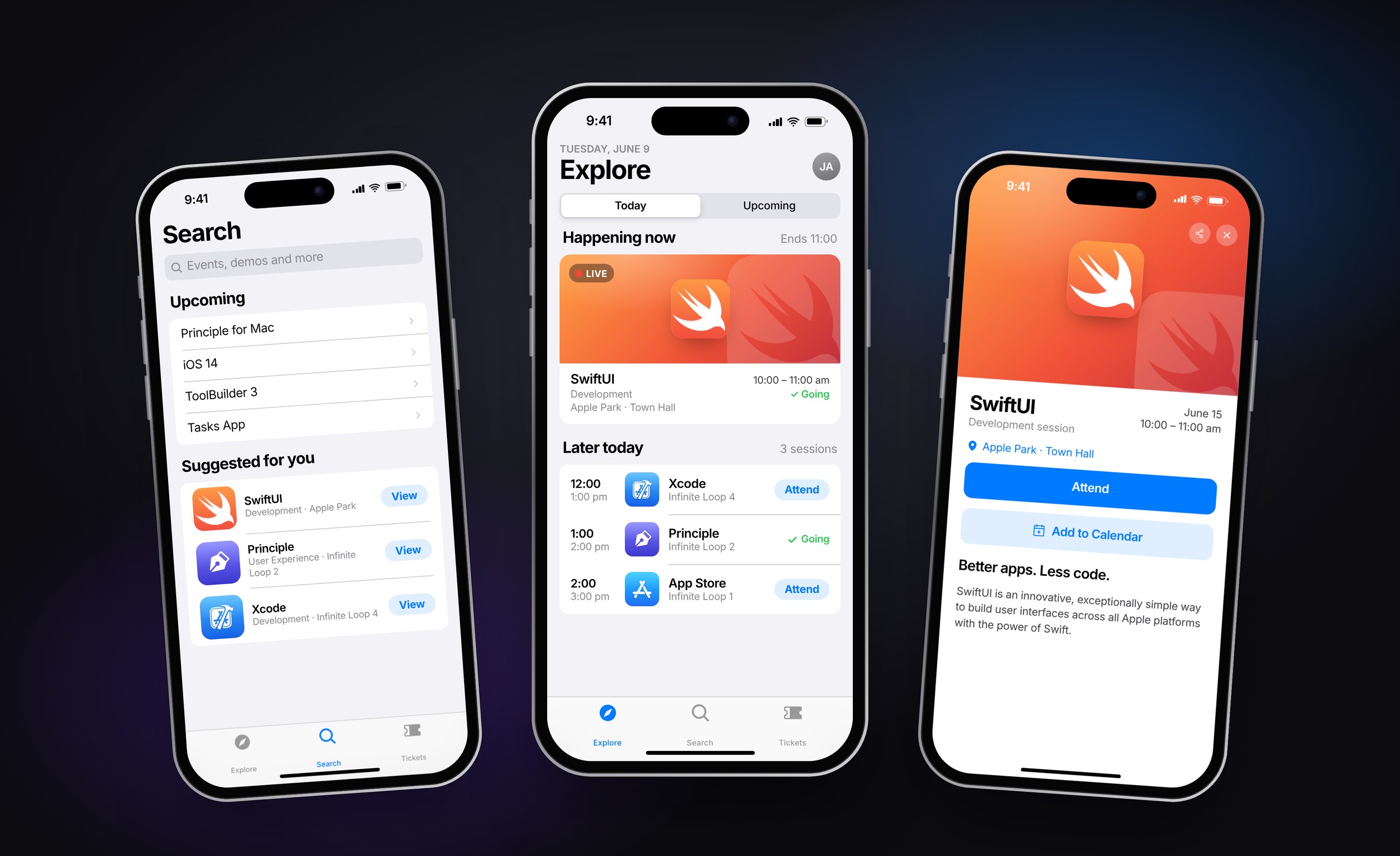
Explore opens on Today. A simple Today / Upcoming switch at the top keeps it to one tab. Today shows the session happening right now, marked Live, then the rest of the day in time order, with Attend or Going on every row.
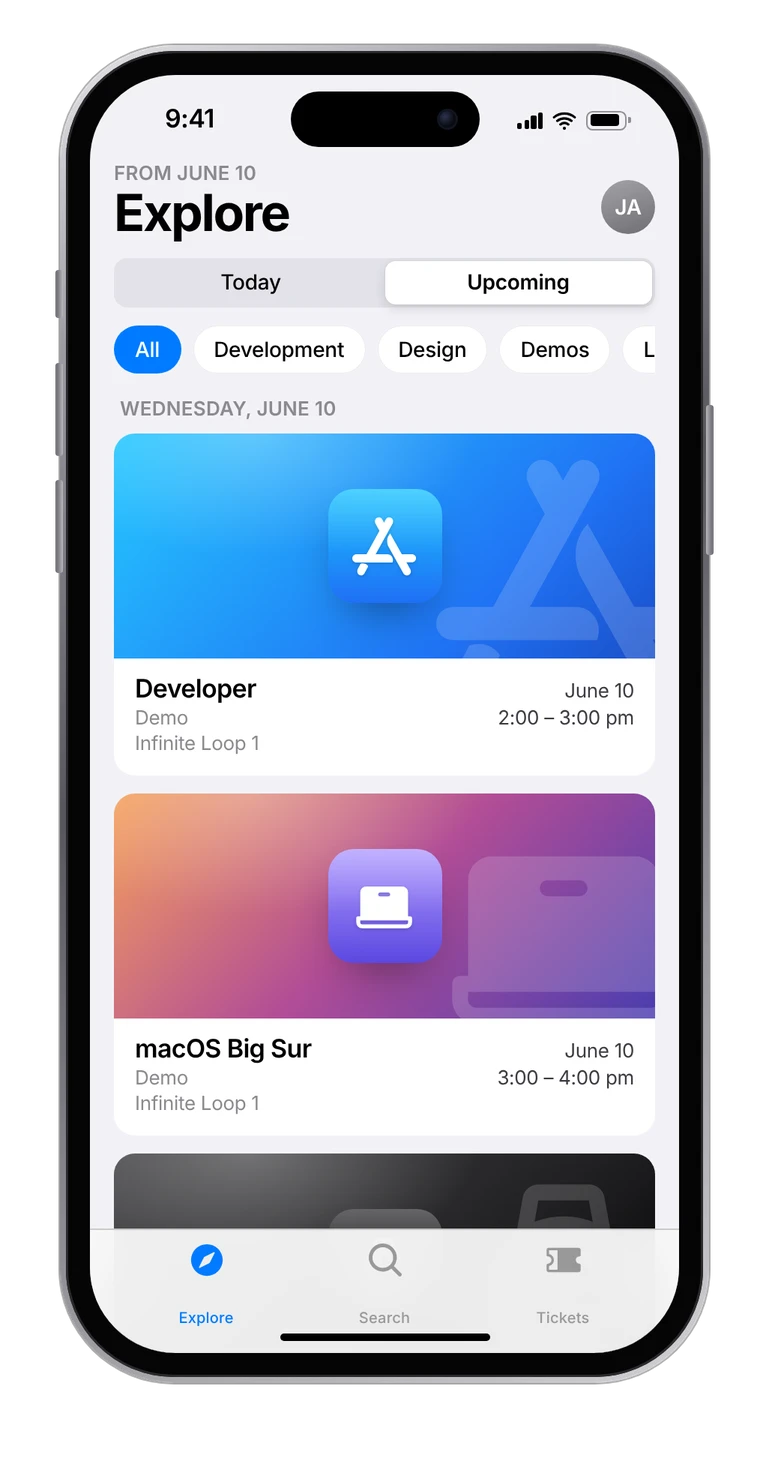
Discover more.
Flip the switch to Upcoming to see everything coming up, grouped by day. Category filters for Development, Design, Demos and Labs help employees find sessions they wouldn’t have thought to search for.
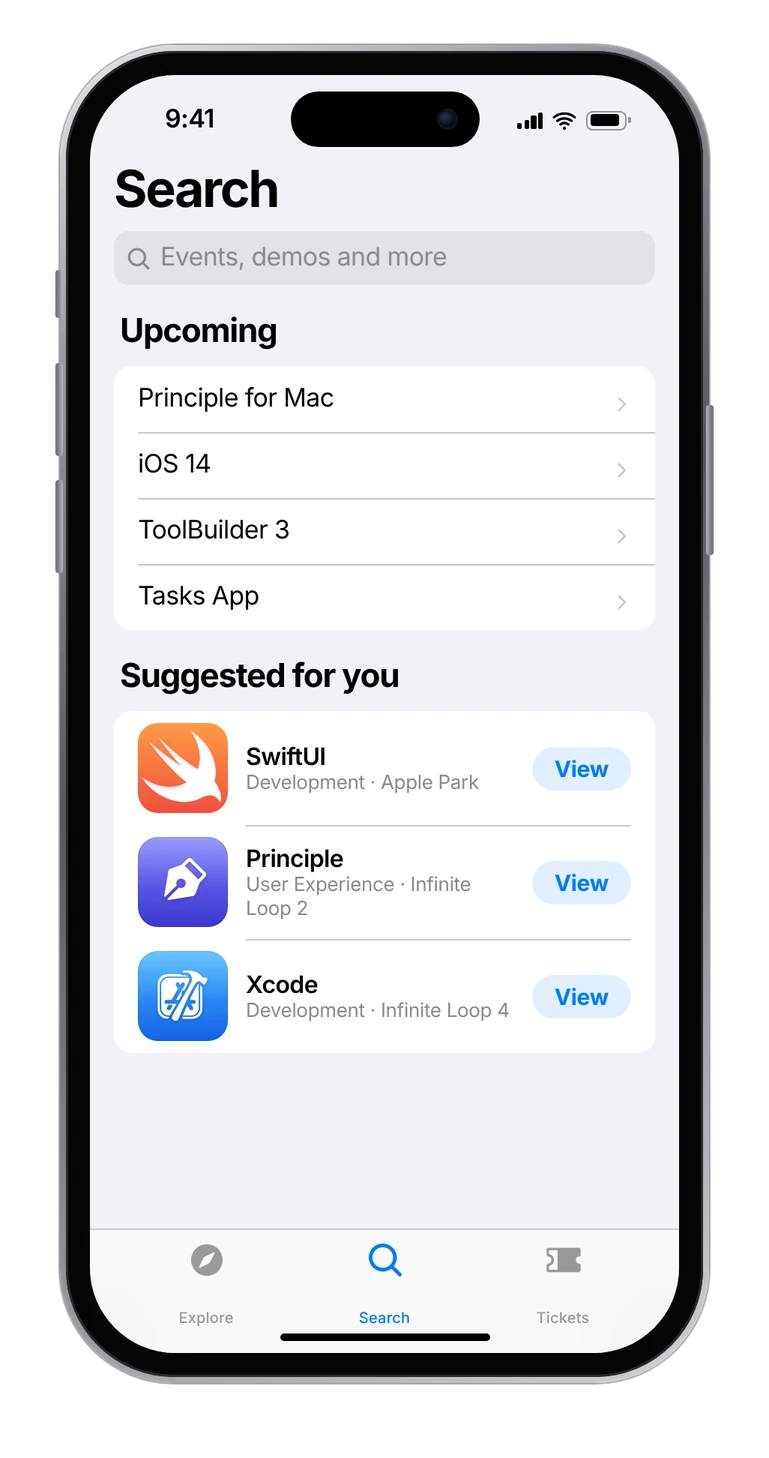
Find it by name.
Search with suggestions and upcoming events, answering the most common request from interviews.
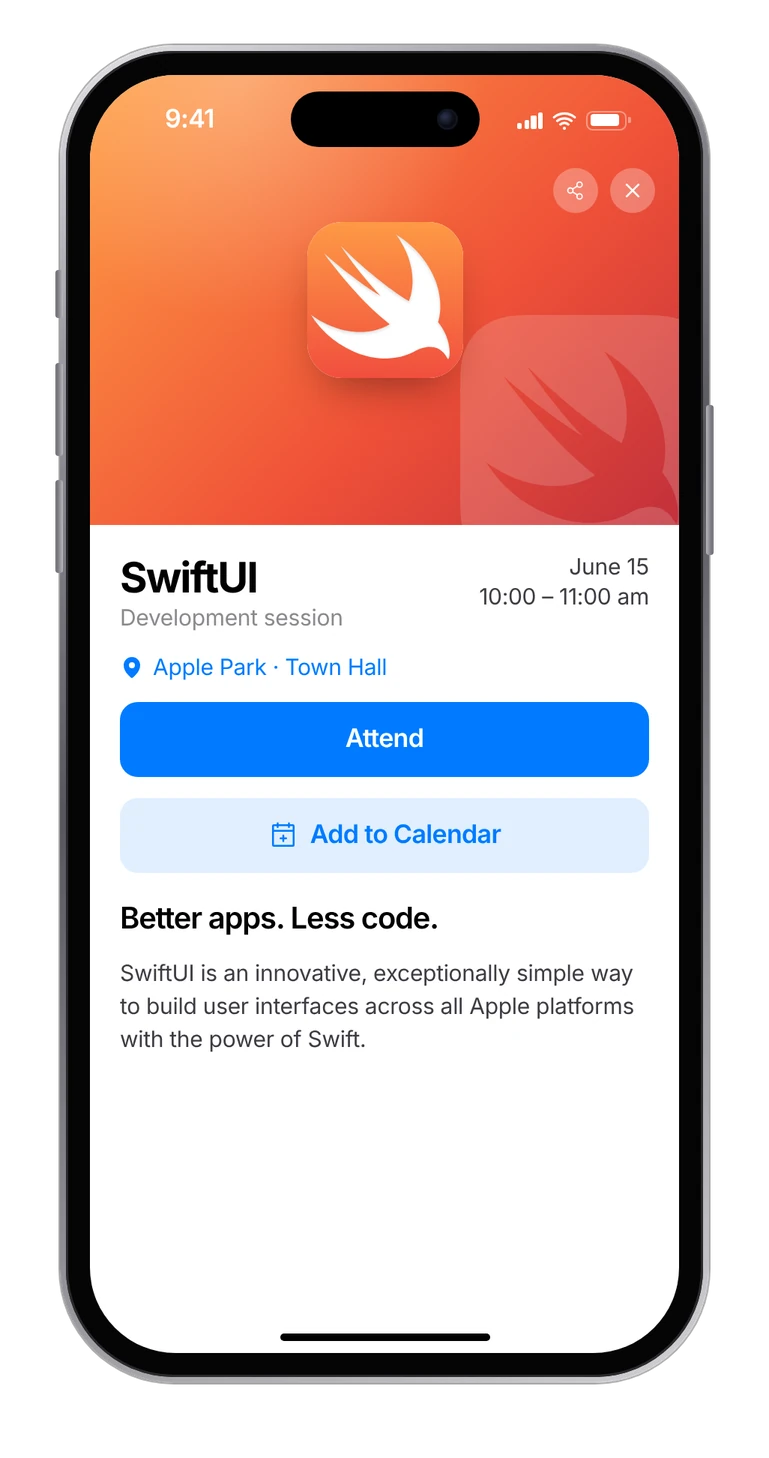
Attend in one tap.
Attend and Add to Calendar right on the event page, with the exact location and related articles.
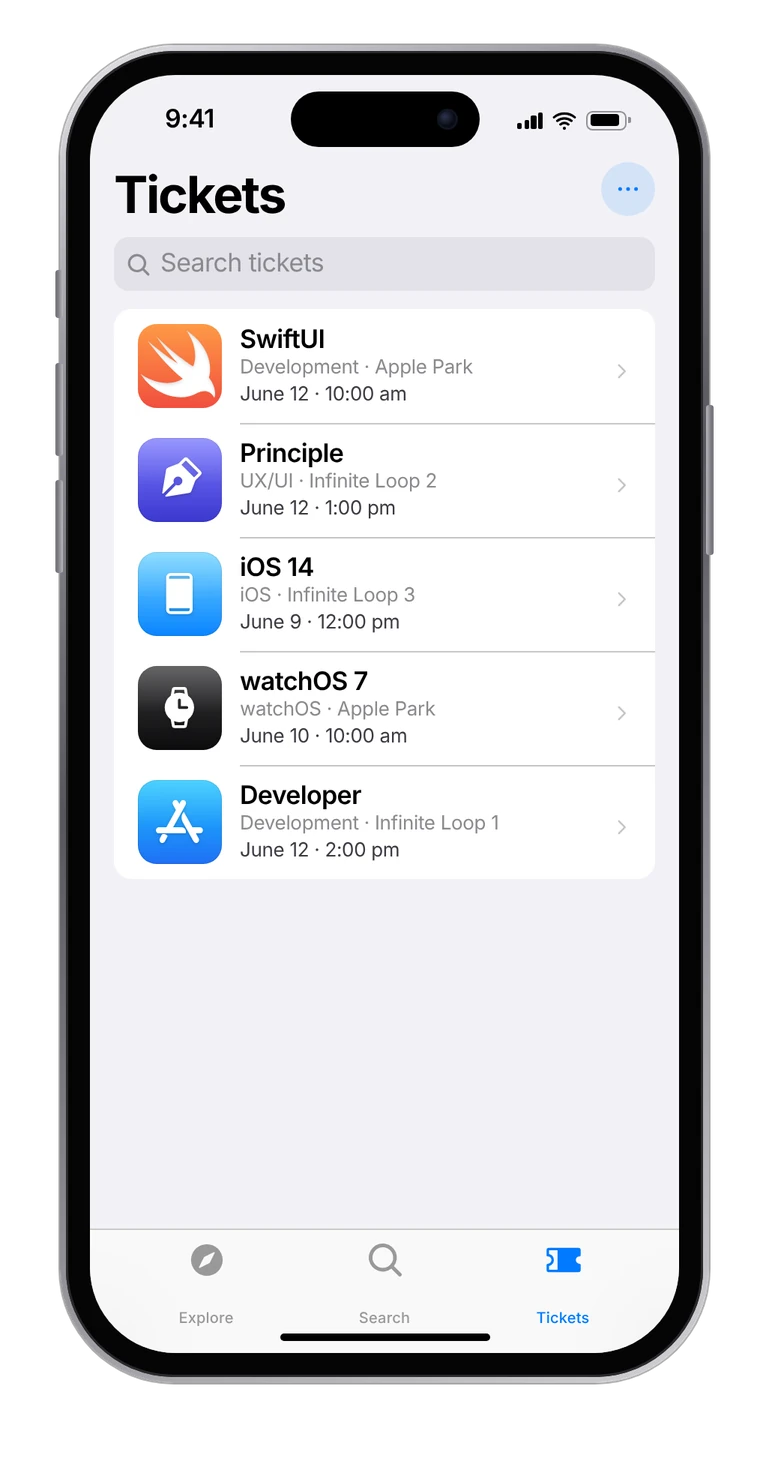
Everything you’re going to.
All upcoming tickets in one place, searchable and sorted by date.
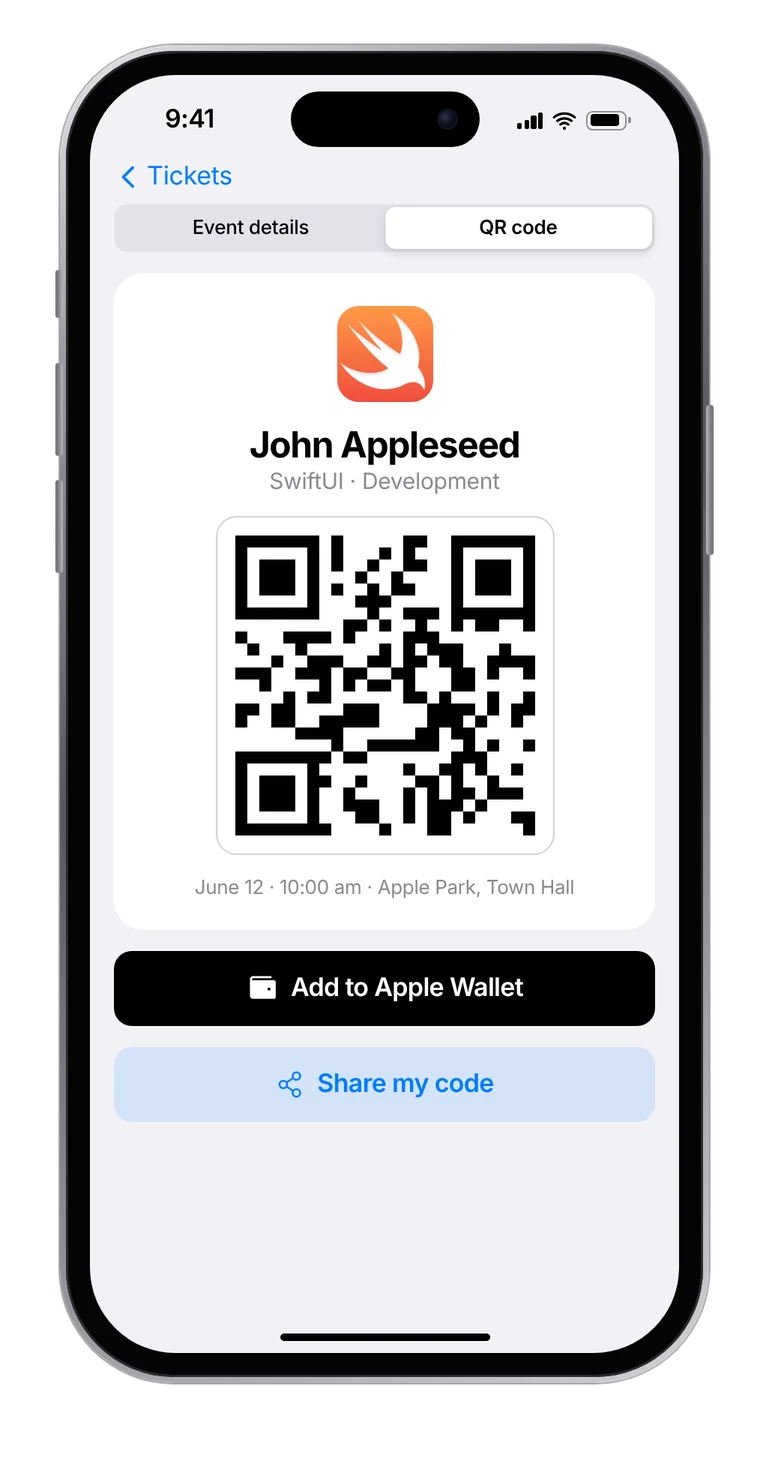
Scan and you’re in.
Each ticket opens to a QR code for check-in at the door, with the exact room and time underneath.
Familiar by design.
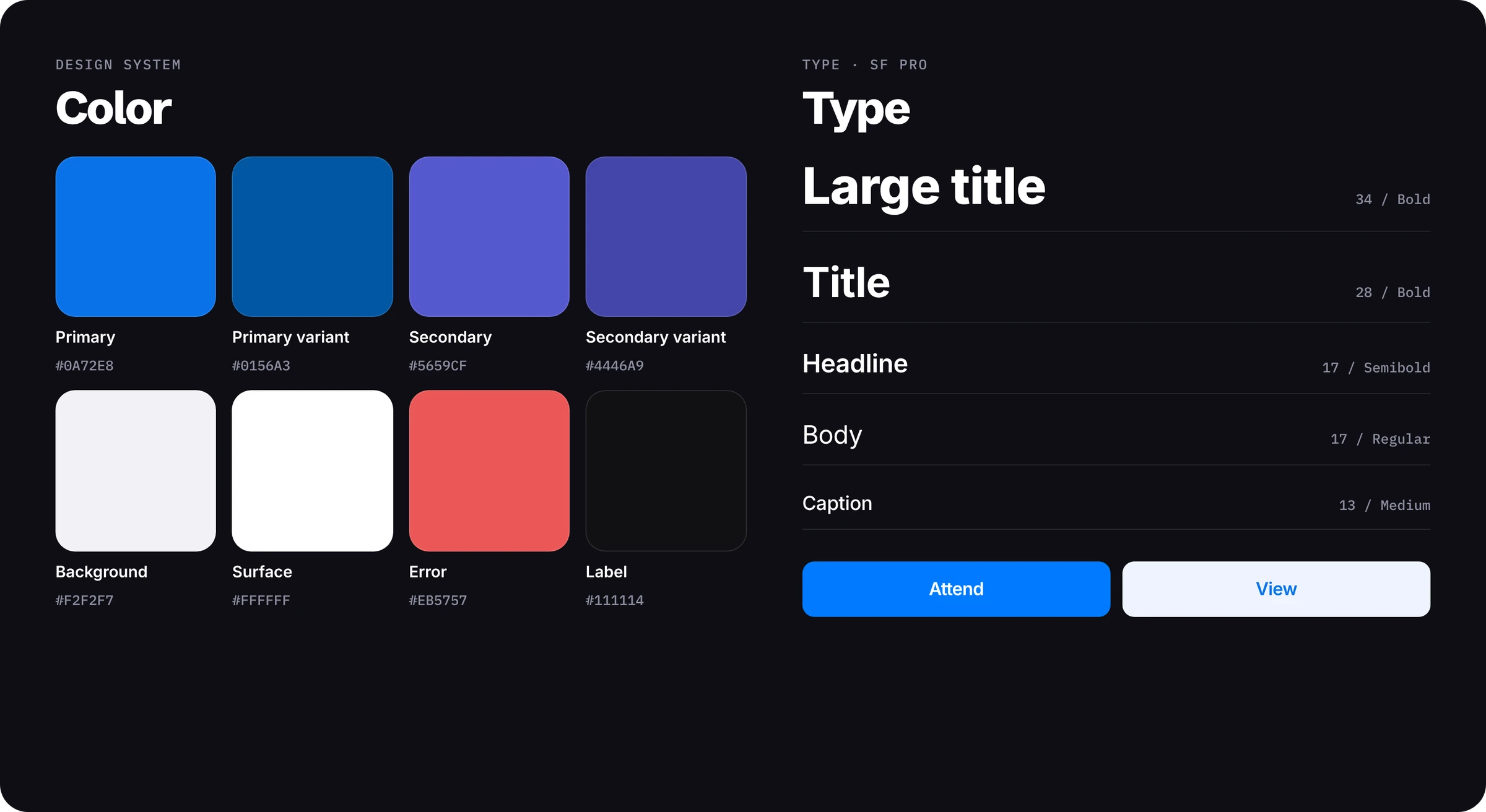
Built on iOS patterns and Apple blues, so it felt native from the first launch.
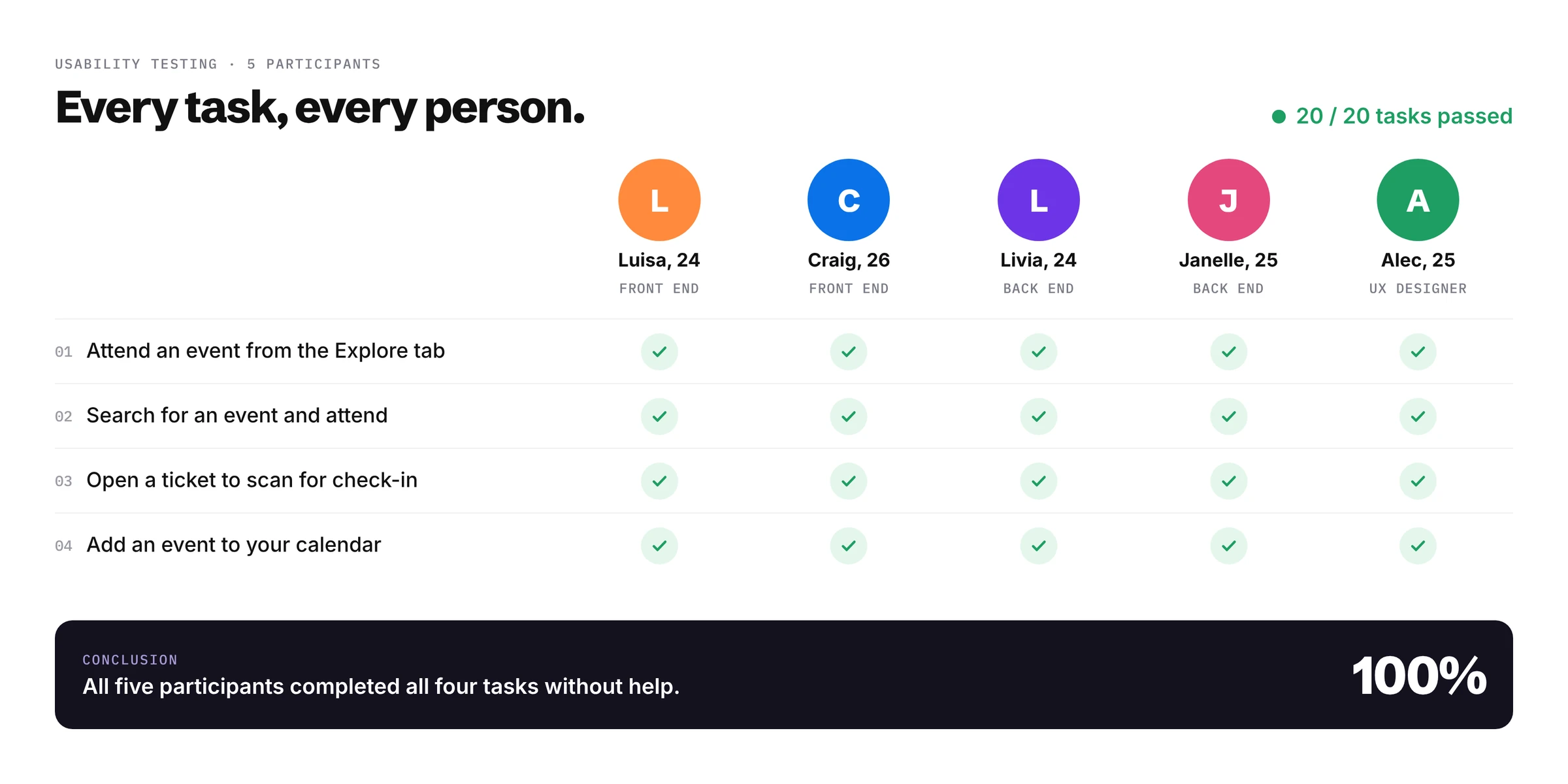
Put to the test.